
Import Solutions
Import solutions from XLS, XLSX, and CSV files into ServiceDesk Plus.
Role Required: SDAdmins and Users with add solutions permission
Quick Links
Importing Solutions
- Go to Solutions.
- Click the New Solutions menu and select Import Solutions.
The process of importing solutions is explained in 3 stages.
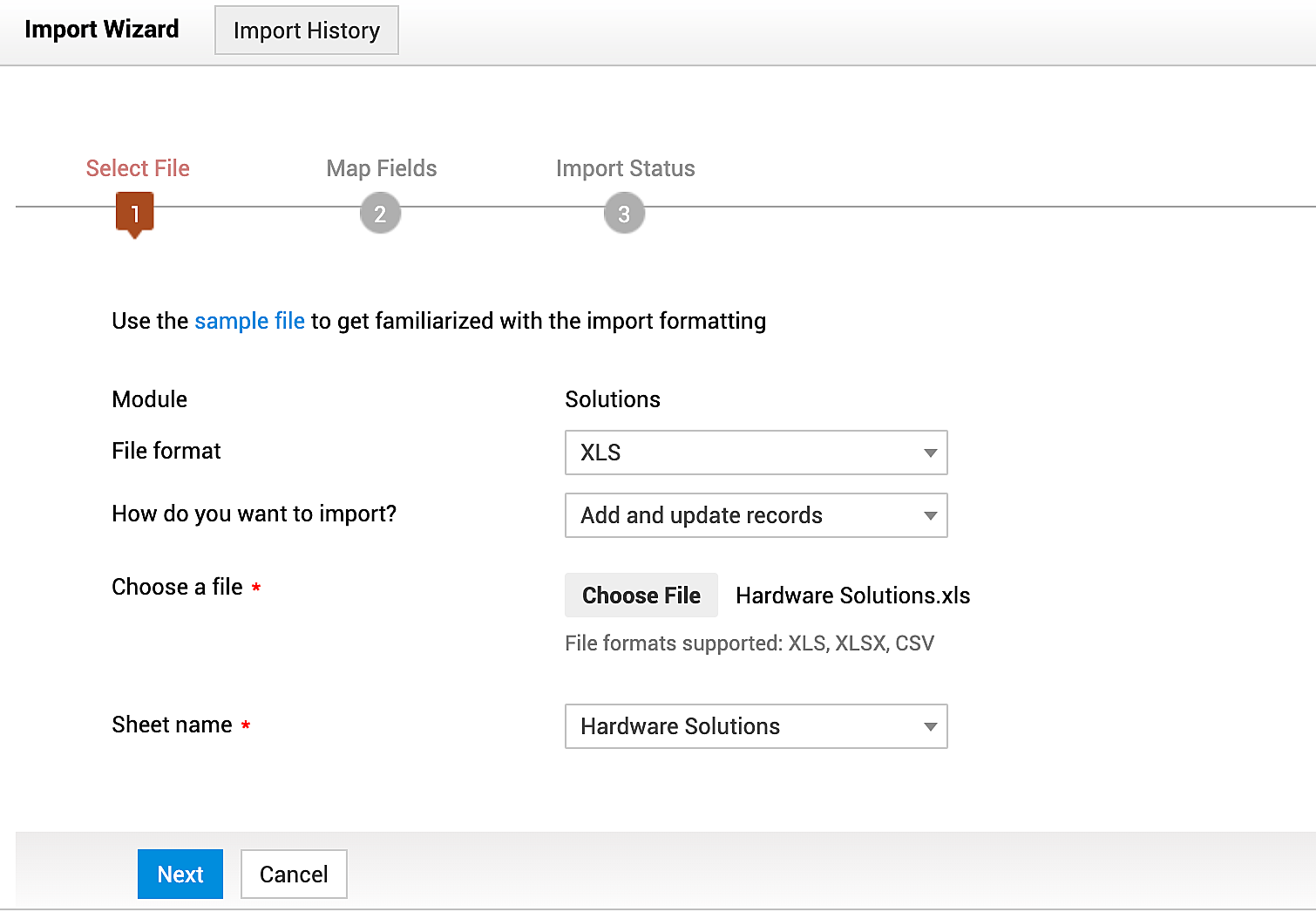
Stage 1: Select a File
- Select the format of the file from the File format drop-down. By default, XLS is displayed.
- Choose how you want to import a file; add and update records, delete existing records and add new ones, or ignore duplicate records.
- Click Choose File to select the file to be imported.
- Select Sheet Name from the drop-down. This field is not applicable for CSV files.
- Click Next.
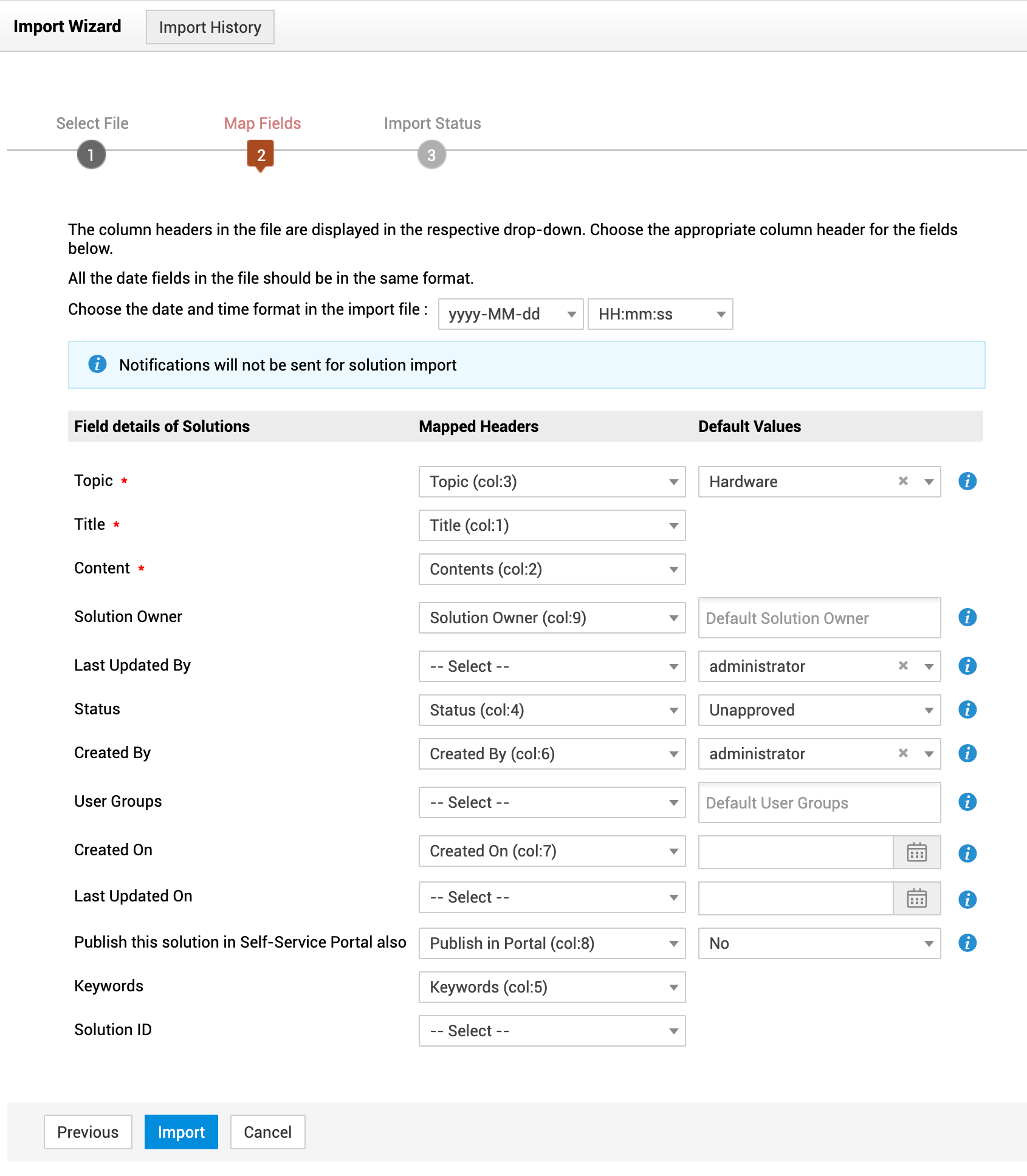
Stage 2: Map Fields
The mapping page displays all the fields present in the file.
- Choose a date and time format from the drop-down. The format should be the same as in the import file.
- The fields will be mapped automatically if the field names in the solutions and import file are the same. Manually map the fields that are not the same as the field names in the import file.
- Select a default value for Topic and select default values for other fields if required.
- Click Import.
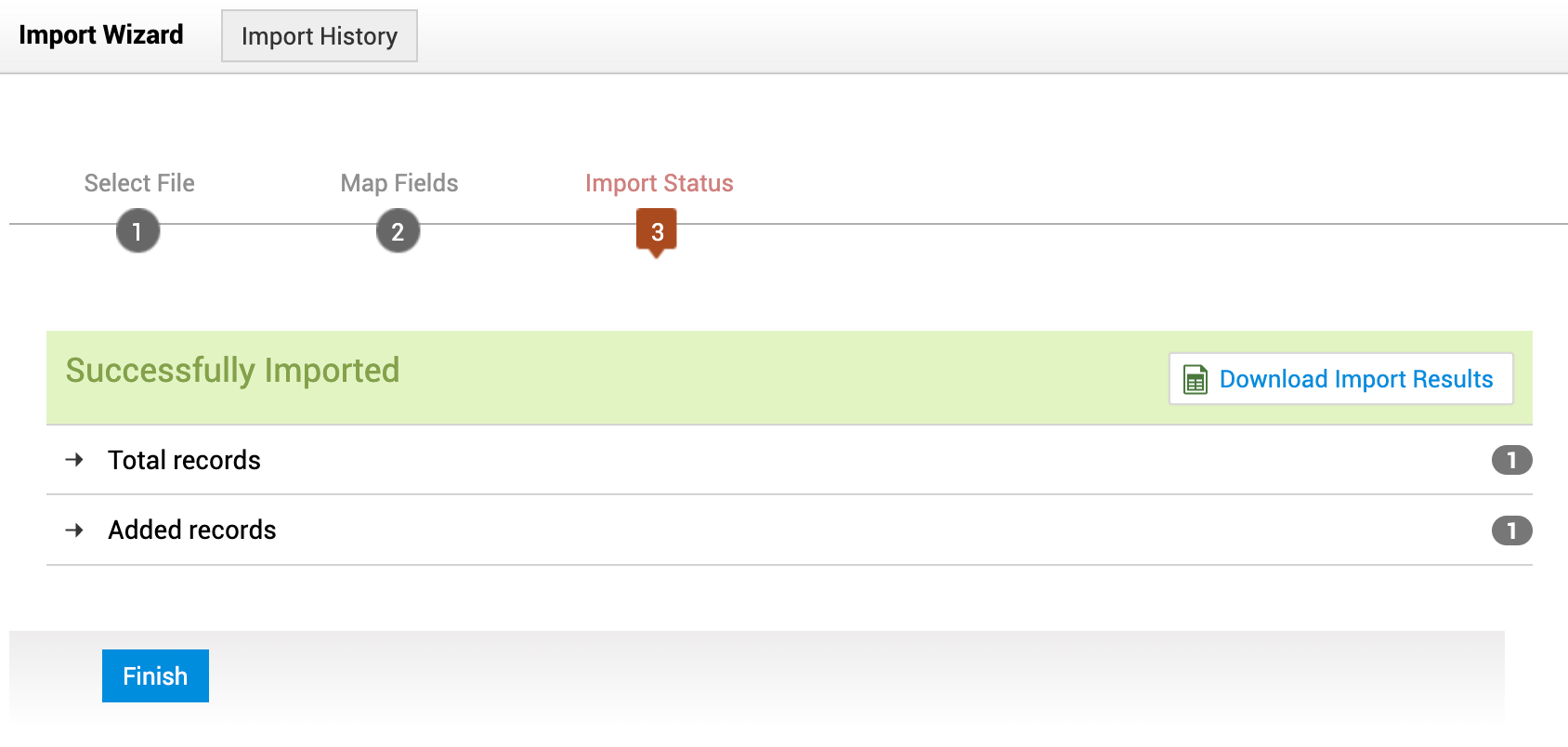
Stage 3: Import Status
- View the summary of the total records in the import, imported records, and failed records.
- Click Download Import Results to view the success/failed records.
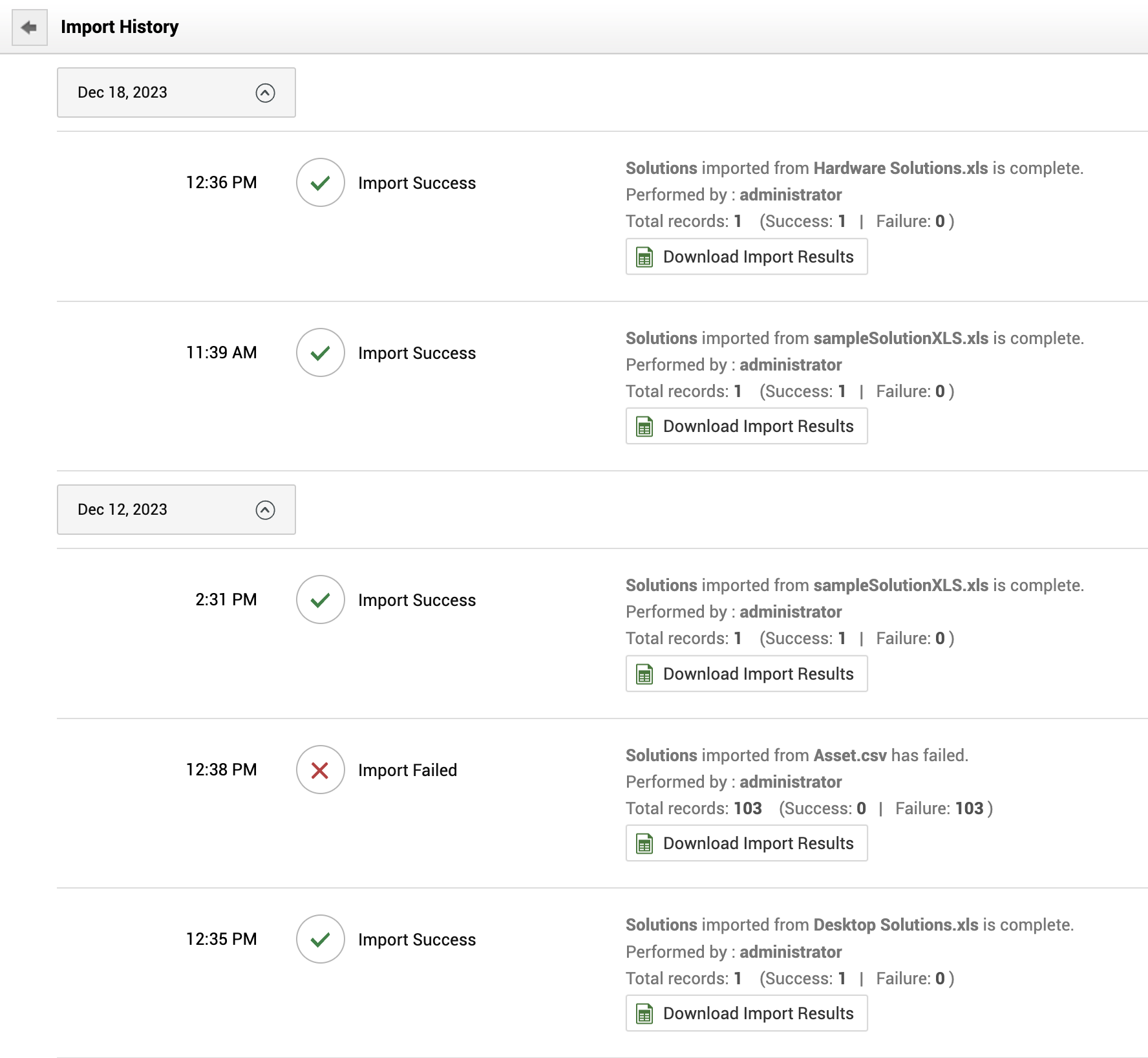
Import History
Click Import History on the Import Wizard to view the list of all imports and download the import results.
Fields that can be Imported
- Title
- Topic
- Content
- Solution Owner
- Created By
- Last Updated By
- Status
- User Groups
- Created On
- Last Updated On
- Publish in Portal
- Keywords