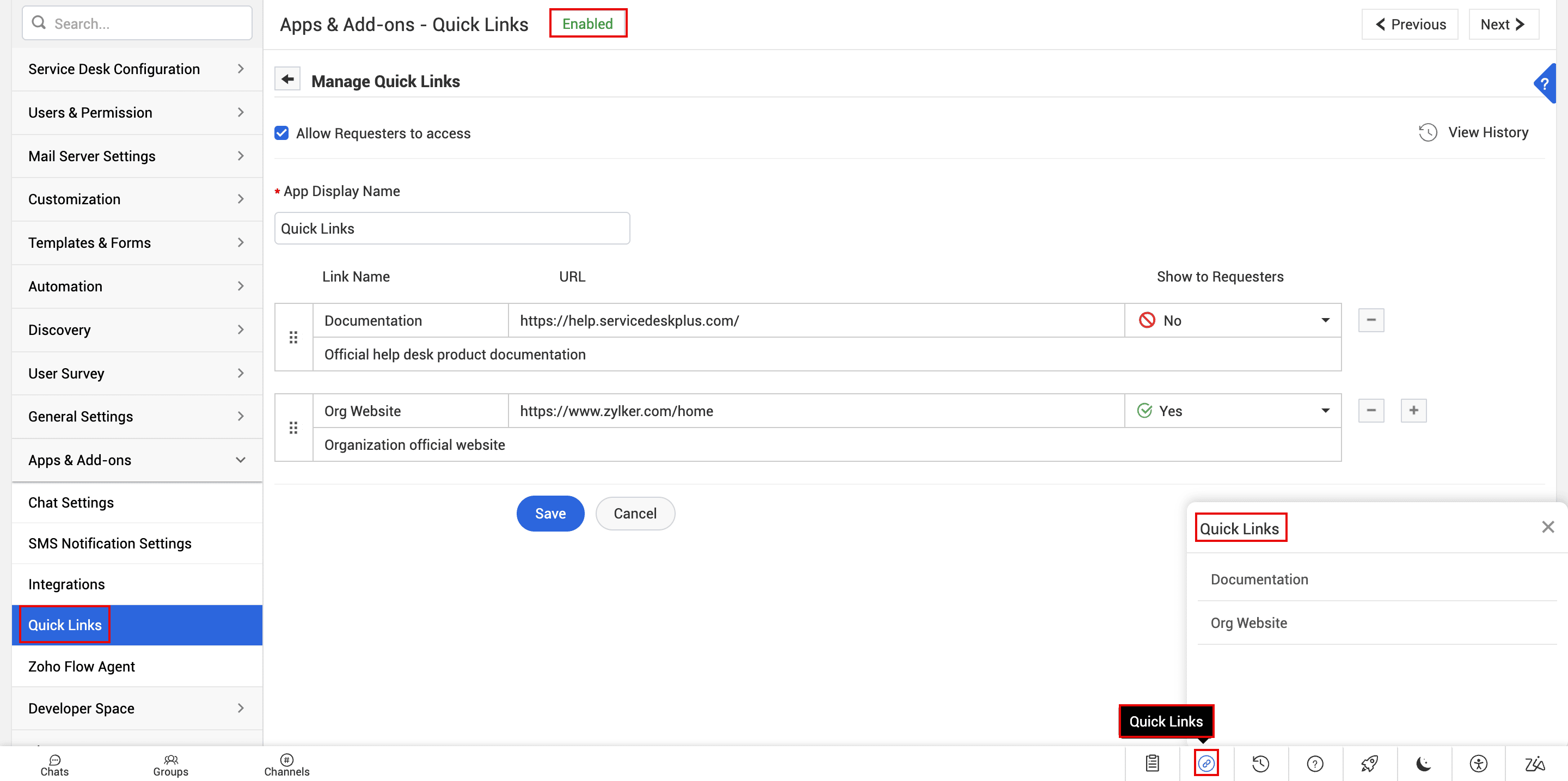
Add frequently used external links in the organization as quick links for users. External links can various resources, including web pages and internal/external applications. When added, users can access them from ServiceDesk Plus by using the quick link option in the footer.
To add the quick links, go to Admin > Apps & Add-ons > Zoho Creator App.
Role Required: SDAdmin
- Enable Zoho Creator App by using the status button at the top of the configuration page.
Quick links can be accessed only if Zoho Creator App is enabled. If disabled, the quick link option in the footer will be hidden for all users.
- Enable Allow Requesters to access to allow requesters to access quick links from the requester portal. If disabled, quick links will be available only for technicians.
- Enter App Display Name. This name replaces Zoho Creator App in the admin configuration navigation pane, and is used as the label for the quick link iconin the footer.
- Enter the following details:
- Link Name: Enter a label for the link.
- Description: Describe the purpose or usage of the link.
- URL: Enter the appropriate URL.
- Use the plus icon
 and minus icon
  to add and remove links.
 - Show to Requesters: Select Yes or No to define whether the link must be available for requesters or not. This can be defined for each link individually.
The Show to Requesters option can be configured only if Allow Requesters to access is enabled.
- Finally, click Save.