
My Approval widget lists all requests that have been sent to you for approval. This widget will be visible only if the administrator has configured the widget in the Self-Service Portal. Under this widget, all requests that have been sent to you for approval are populated.
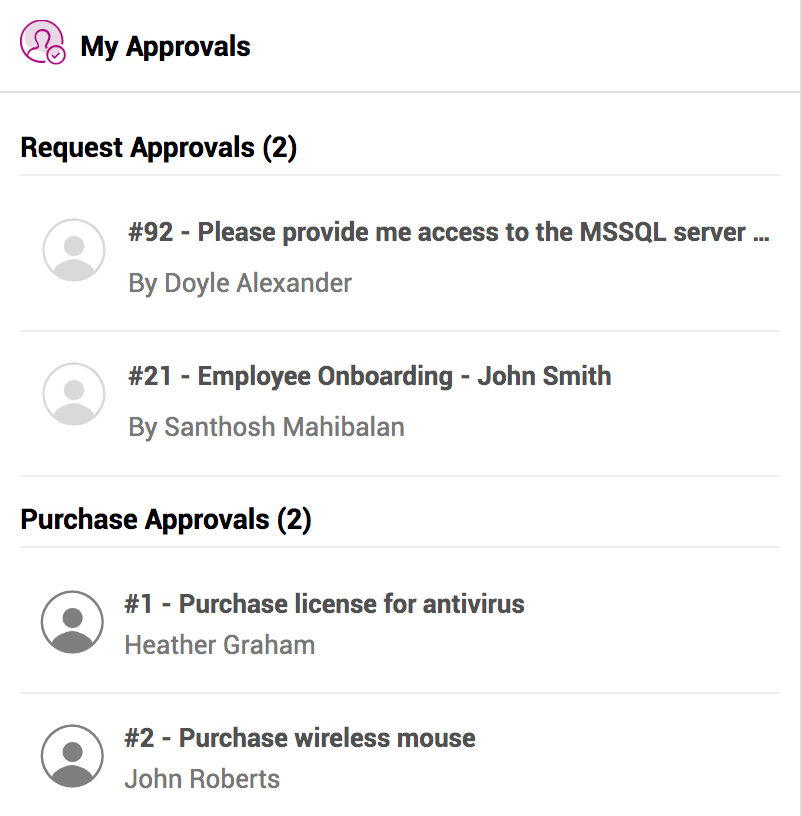
To act on any of the listed requests,
- Select the request on the widget that requires approval.
- The request details and approval status will be displayed on a slide-out panel.
- To ask for clarification, enter your comments in the text box and click Need Clarification.
- To record your approval decision, click Approve or Reject. You can add any comments if needed.
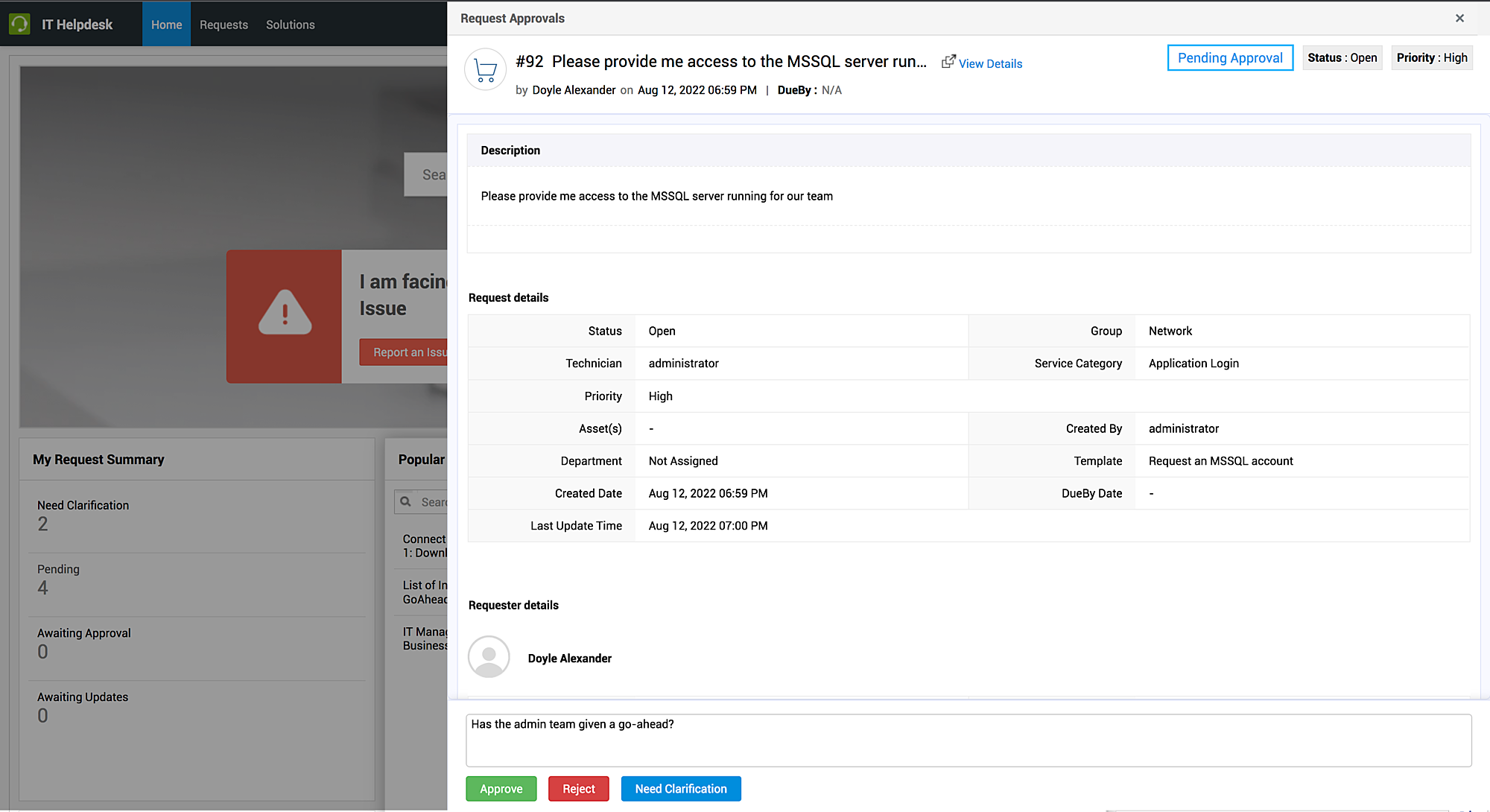
You can view the clarification pending on a request by clicking the Pending Clarifications banner on the slide-out panel. The clarifications queries will be listed with the most recent query on top.
If you have asked for clarification, you can edit your latest question by hovering over your question and clicking Edit.
If multiple approvers have raised several clarification questions, use the  icon to filter the conversation based on approvers.