
Track and manage authorization servers that enable the application to retrieve user data and authorize logins by registering them in the application.
Register an Authorization Server
-
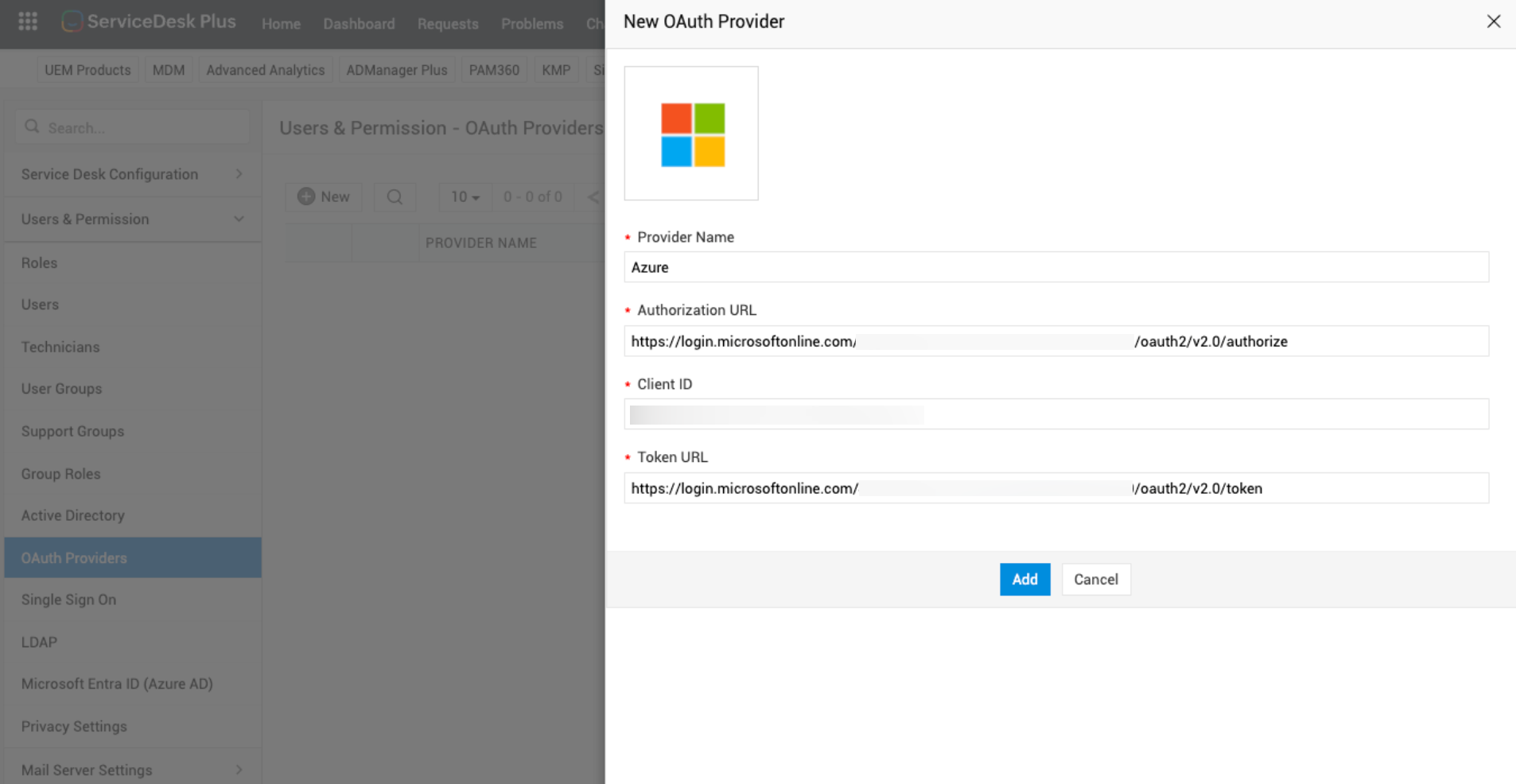
Go to Admin > Users & Permissions > OAuth Providers.
-
Click + New.
-
On the New OAuth Provider slideout, enter the following details:
|
Field |
Description |
|
Provider Name |
Enter the authorization server name. Example: Microsoft Azure |
|
Client ID |
Specify the Client ID, Authorization URL, and the Token URL generated while registering the application in the authorization server.
|
|
Authorization URL |
|
|
Token URL |
|
|
Icon |
Upload an icon to indicate the authorization server on the login form. |
- All fields are mandatory
-
Click Add.
List View Actions
-
Use Actions
 next to an authorization server name to edit and delete the record.
 -
Click Search
 to filter out a specific authorization server.
 -
Click View History to view a log of operations performed within OAuth Providers.
-
You can also set the number of records to be displayed per page and navigate through different indexes.