
IT Alert Management targets managing IT alerts by converting them as incident requests for faster alert management. ServiceDesk Plus integrates with AlarmsOne, an all-in-one alert management tool from ManageEngine.
AlarmsOne
While there are several integrations under various ITSM fields that convert alerts/notifications as incidents, AlarmsOne acts as a central console where you can manage ALL of your alerts. It integrates with numerous applications and simplifies your task of addressing notifications in various applications by fetching them to a single location.
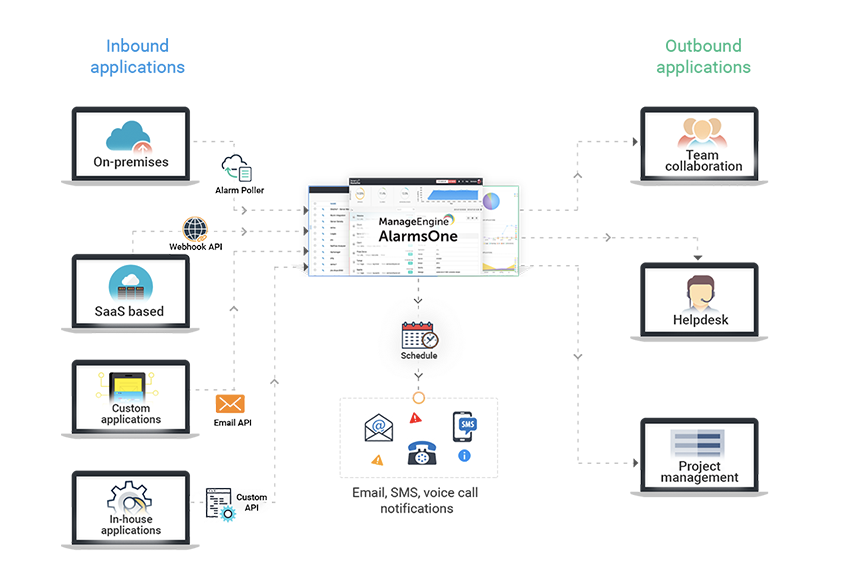
By integrating AlarmsOne and ServiceDesk Plus, you can convert any alarm as a request and monitor it from the ServiceDesk Plus console.
Benefits of integrating AlarmsOne with ServiceDesk Plus:
- Auto-resolve incidents using custom scripts
- Avoid creating similar incident requests by filtering out redundant alerts using Multi-criteria alerting.
- Request updates and actions carried out in ServiceDesk Plus are reflected in AlarmsOne and vice-versa.
- Escalate or modify alarms based on their criteria.
Pre-requisites:
- User must have accounts in both ServiceDesk Plus and AlarmsOne.
- Alarms integration with ServiceDesk Plus requires you to have an On-Premise Poller installed on your network from where it can reach ServiceDesk Plus server.
Create Requests from Alarms
You can share alarms from AlarmsOne as incident requests in ServiceDesk Plus automatically after integration. You can assign category, priority or support group to an incident based on the alarm category, application, or criticality. Alarms share as requests can be grouped under tags for easy finding.
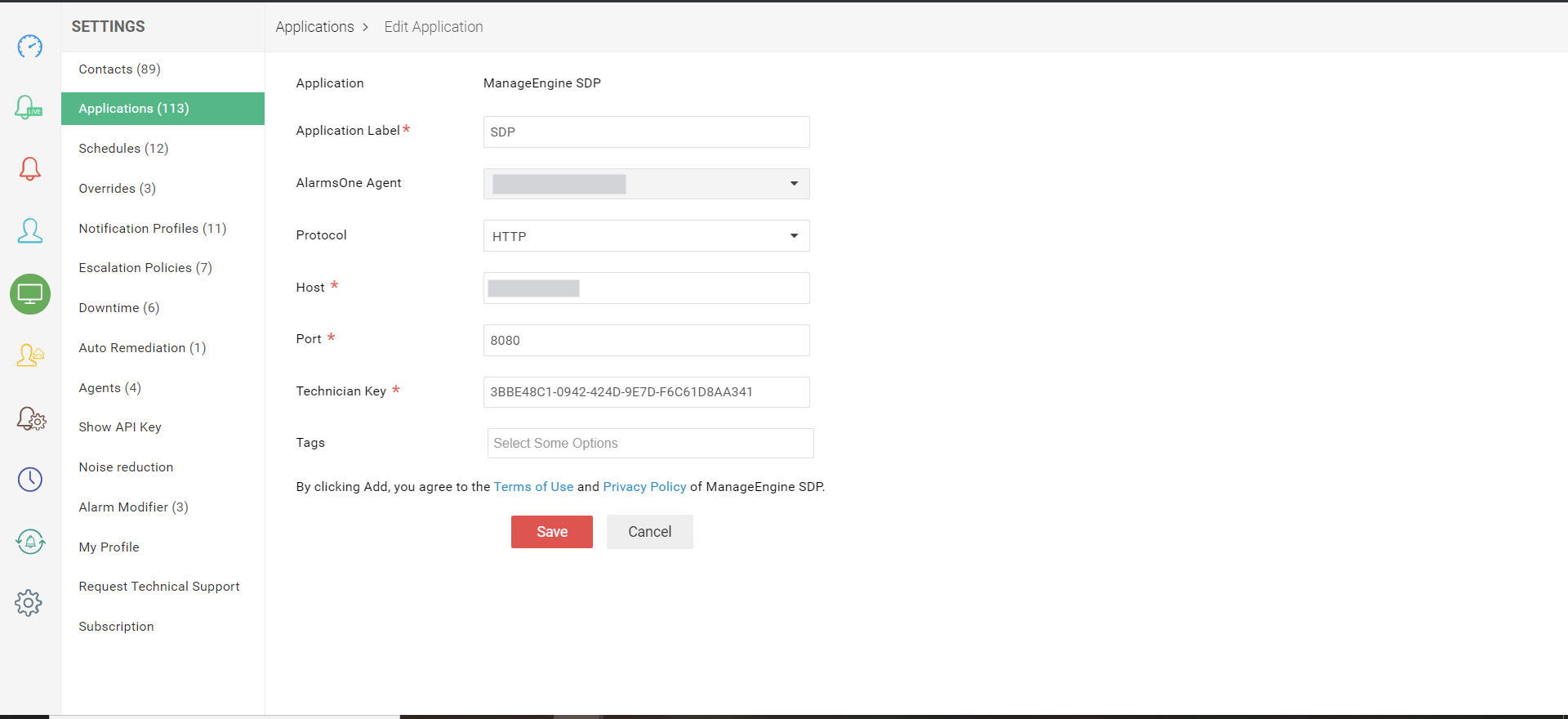
Configuring the integration in AlarmsOne
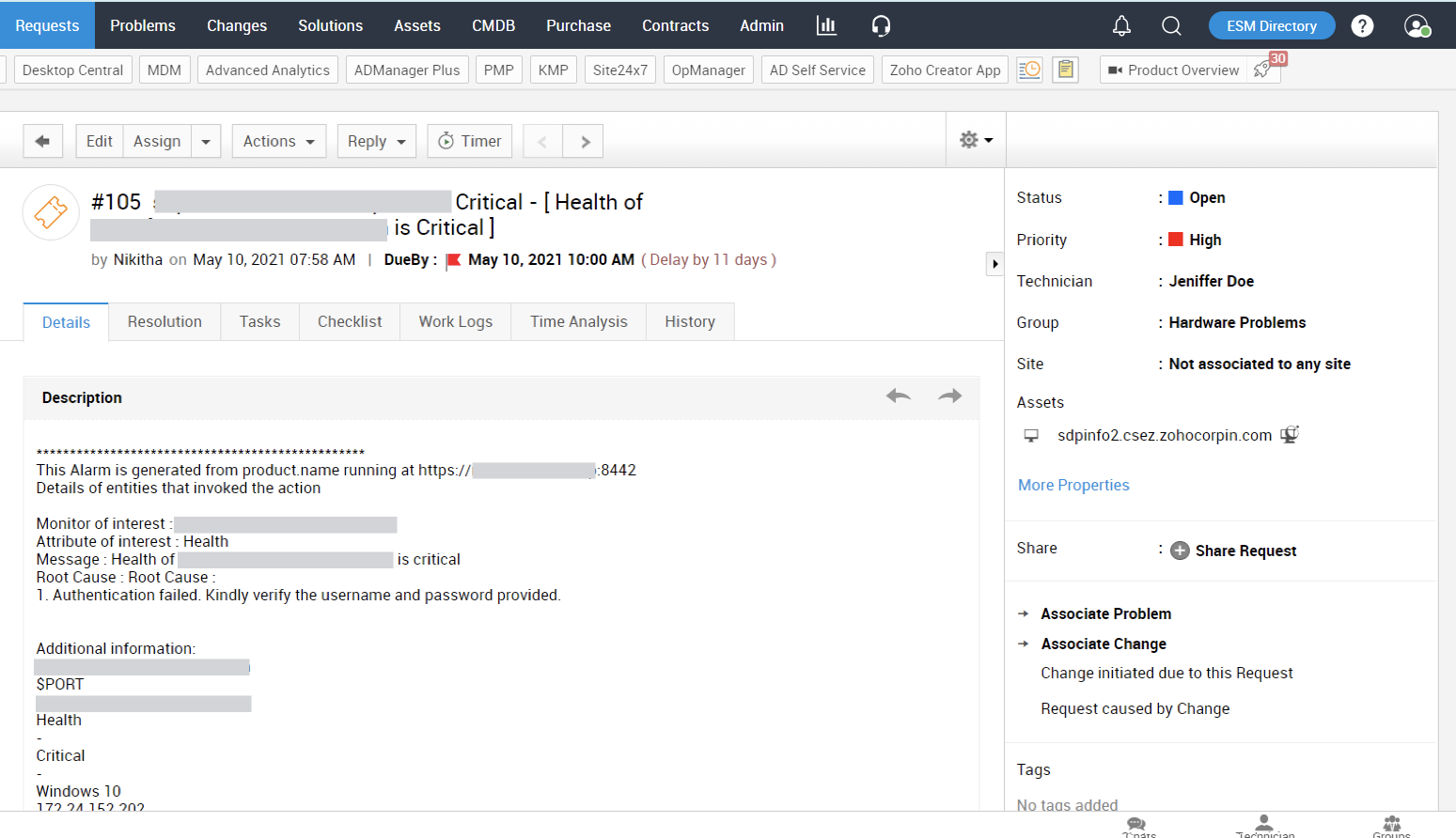
Alarm created as request in ServiceDesk Plus
Explore More Resources
|
AlarmsOne Documentation Resources: |