
The contract type is a classification used to categorize contacts into different types, such as maintenance, support, warranty, etc. Here, you can configure new contract types and use them when creating a new contract as required.
To create a new contract type,
-
Go to Admin > Purchase/Contract Management > Contract Type.
-
Click New.
-
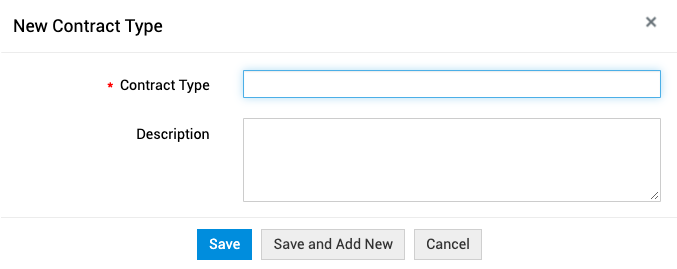
Provide the following information:
- Contract Type: Provide a unique name for the contract type.
- Description: Add a relevant description of the contract type
-
Finally, click Save.
Edit or Delete Contract Types
-
To edit a contract type, click the name of the contract type or click the Actions icon beside the name and choose Edit, make necessary changes, and click Update.
-
To delete contacts, select the contract types, and click the Delete icon. To delete a single contract type, click the Actions icon beside the contract type and choose Delete.
When contract types that are associated with existing contracts are deleted, they will be marked as inactive and cannot be used with future contracts. You can view inactive contract types by choosing Inactive Contract Types from the view filter drop-down on the top-left. To restore, select the contract types, and click Mark as Active.