
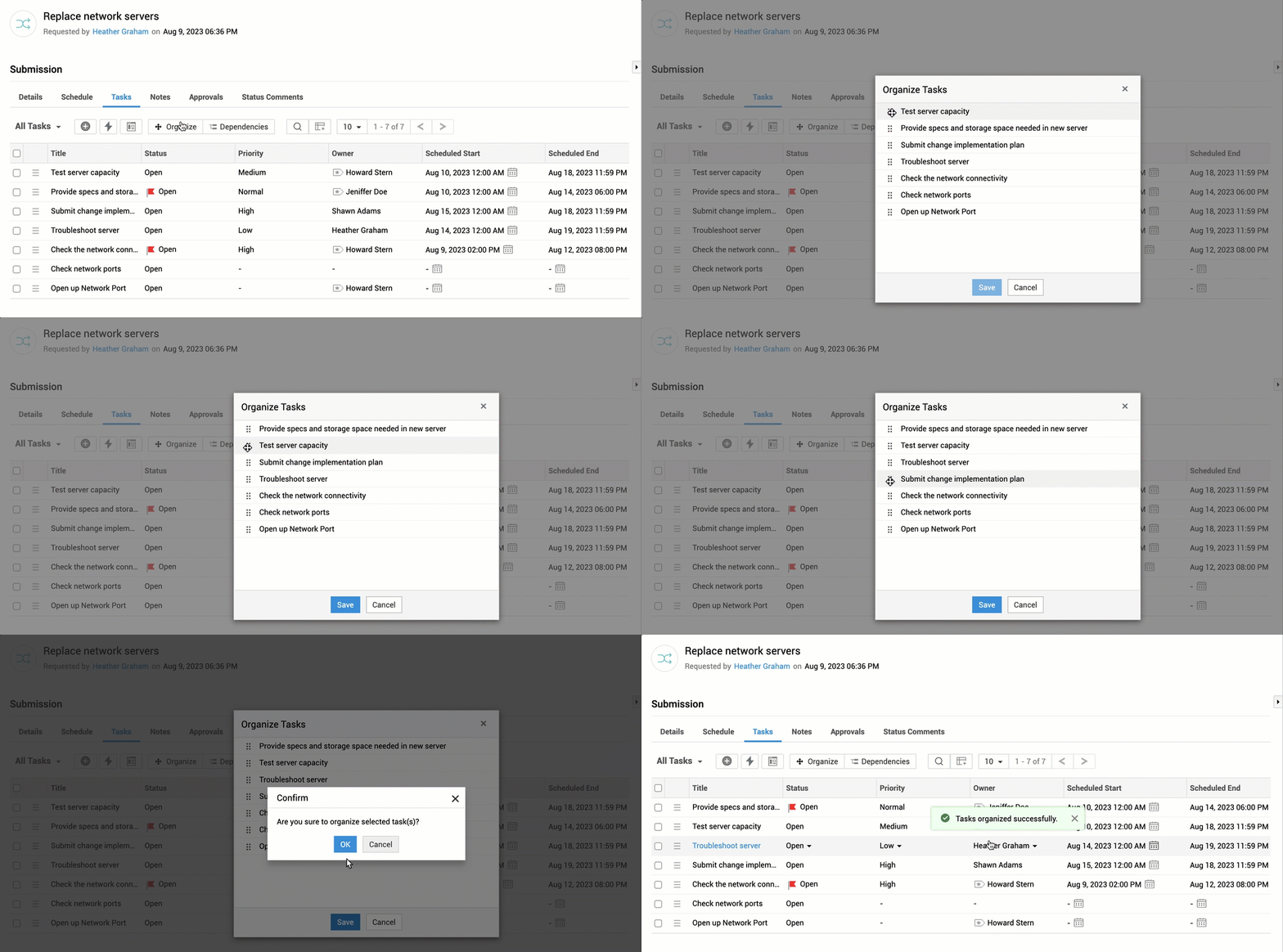
Tasks in each change stage are executed sequentially in the order they are organized.
To alter the task execution sequence,
- Go to the Tasks sub-tab in a change stage.
- Click Organize on the task list view.
- In the Organize Tasks pop-up, click
 to move the tasks.
 - Click Save.
- Confirm the order by clicking OK.
Trigger Tasks
You can trigger tasks in a change stage individually or as a group based on your requirements.
- Go to the Tasks sub-tab in a change stage.
- Select tasks to trigger.
- Click Trigger on the toolbar.
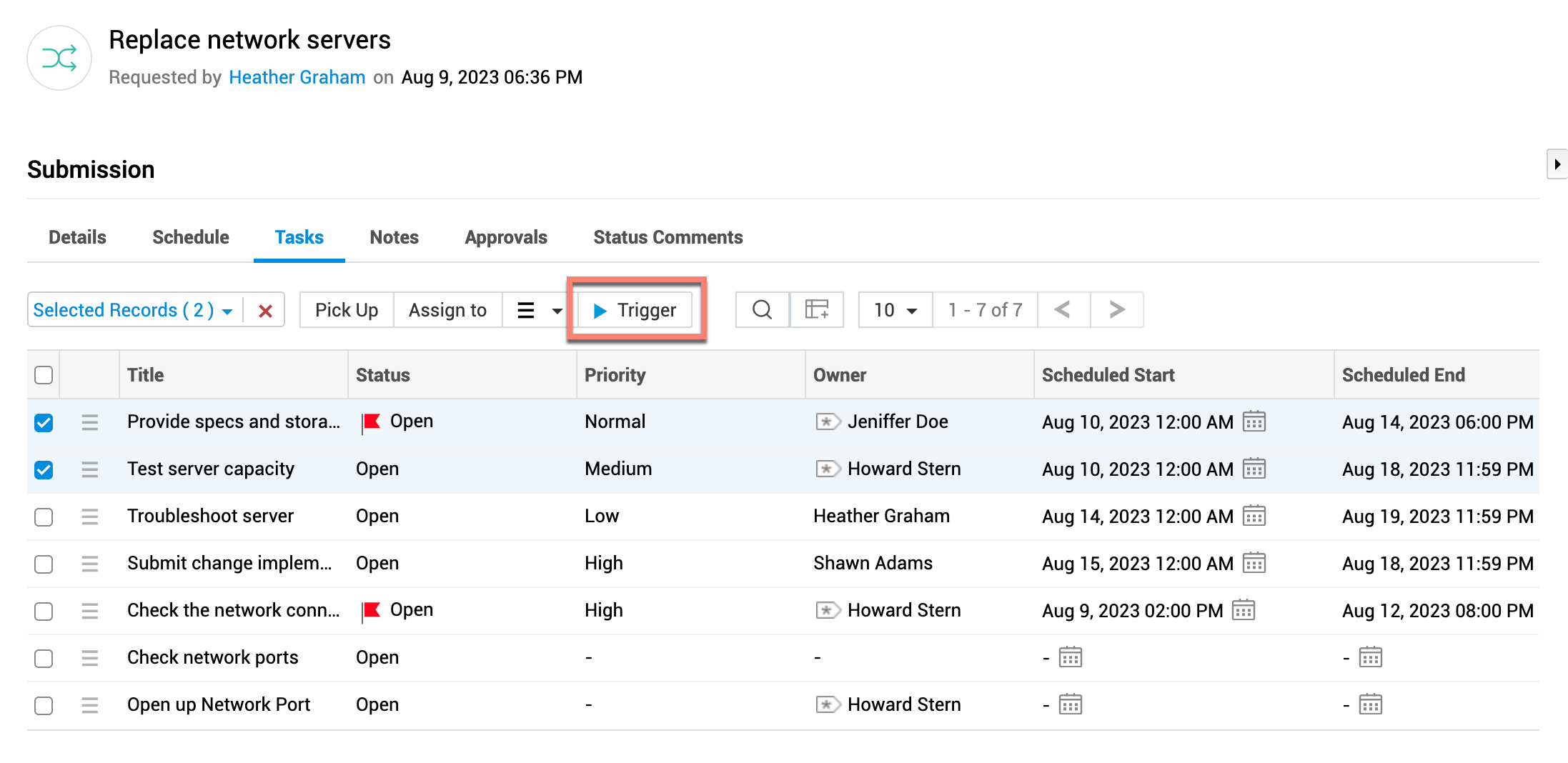
If you have already marked a group or owner for the task, the triggered task will be assigned to them immediately. Triggered tasks will set the current time as scheduled start time.