Software Summary
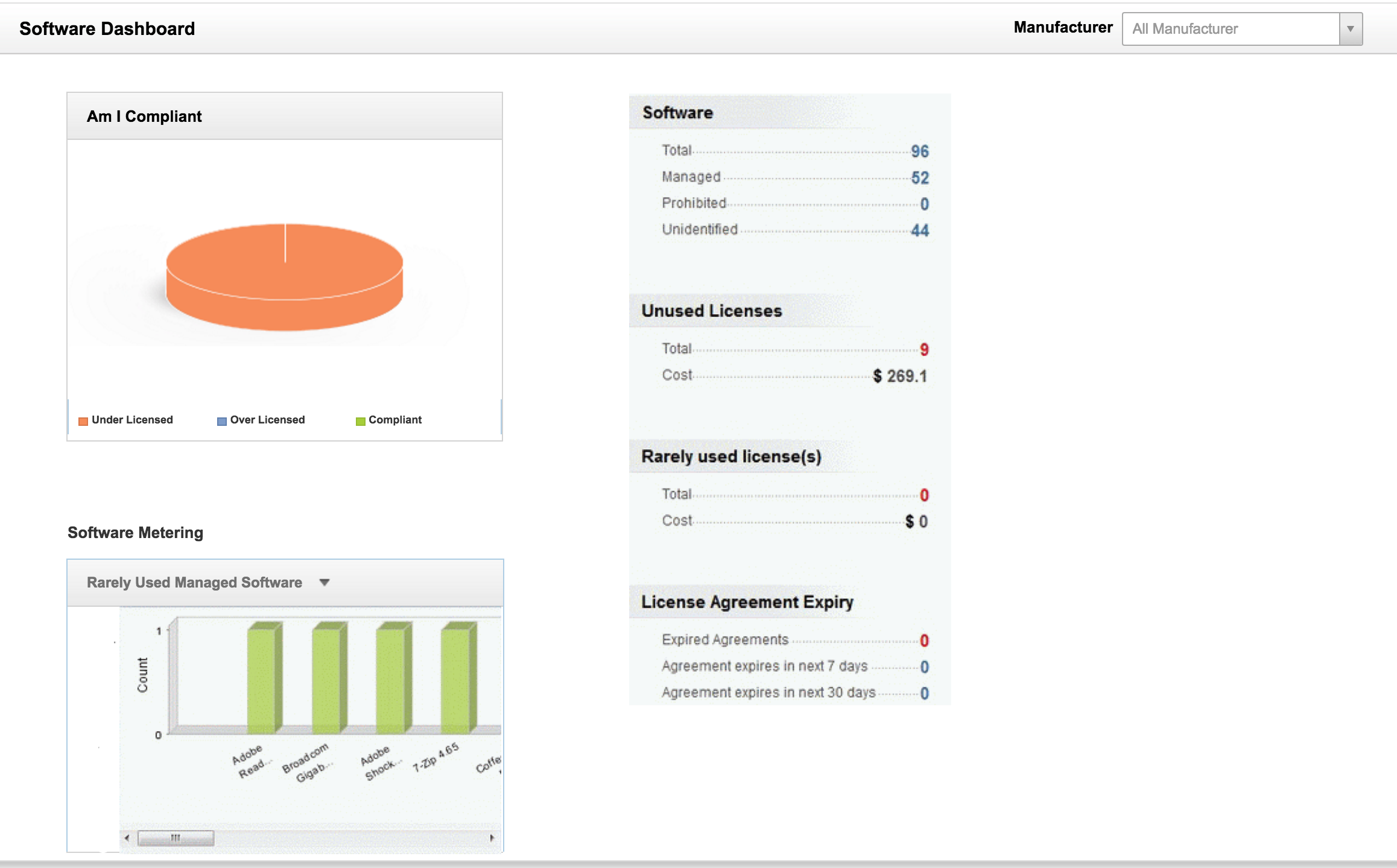
ServiceDesk Plus scans your network and automatically discovers all software available in the workstations. From the Software Dashboard, Asset Managers can
-
Group the software according to the Manufacturers and the Site in which they are associated.
-
Easily ensure compliance by keeping a check on the list of compliant, under licensed and over licensed software. To learn more, click here.
-
Facilitate easy access to view the total number of software that are unused, rarely used, managed, prohibited and unidentified for the selected Manufacturer and Site.
-
View the number of expired license agreement, agreement to be expired in the next 7 days and agreement to expire in the next 30 days.
-
Software Metering - tracks the usage of software in each workstation.