
Multiple Project <-> Change Association
You can now associate multiple changes as child entities with projects or associate a change as a parent entity for a project. For instance, let's assume a scenario where two or three changes are created because of a project. All of them needs to be mapped for better tracking and management. With this feature, this is possible as you can now associate all these changes as child entities of the project. Similarly, for a change that was solely responsible for the creation of a project, it can be associated as a parent entity for the change.
Who can perform Association/Dissociation?
Users with edit permission for projects can perform child/parent entity association or dissociation.
Users can only associate / dissociate changes that they have edit permission for.
Associating a change as a parent entity to a project
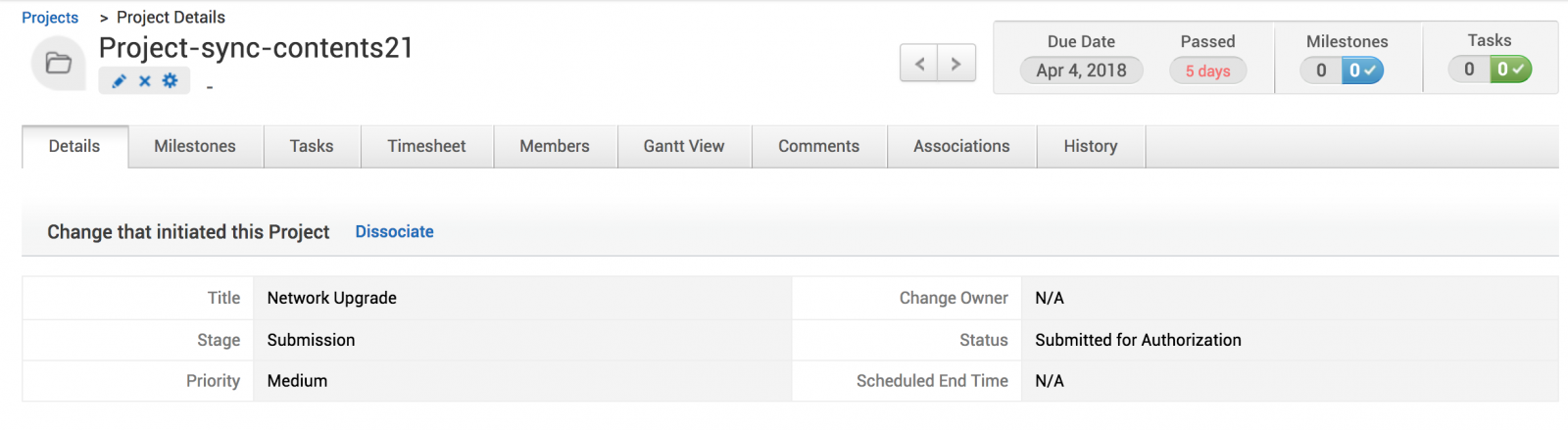
When a change is responsible for the creation of a project, then it can be associated as the project's parent entity.
To do that,
- Head to Projects. Go to the project where you want to perform the association.
- Under the Actions menu
 , click on Associate Change.
- Changes will be listed. Select the one you want to associate as a parent entity and click Associate.
The selected change will be made the parent entity of the project.
Associating multiple changes as child entities to a project
When a project is responsible for the creation of two or three changes, you can associate those changes as child entities to the project from the project’s details page.
To associate these changes,
- Head to Projects.
- Click on a particular project to which you want to associate the changes to.
- Click on the Associations tab and select Associate existing changes.
- List of changes will be displayed. Select the changes and click Associate.
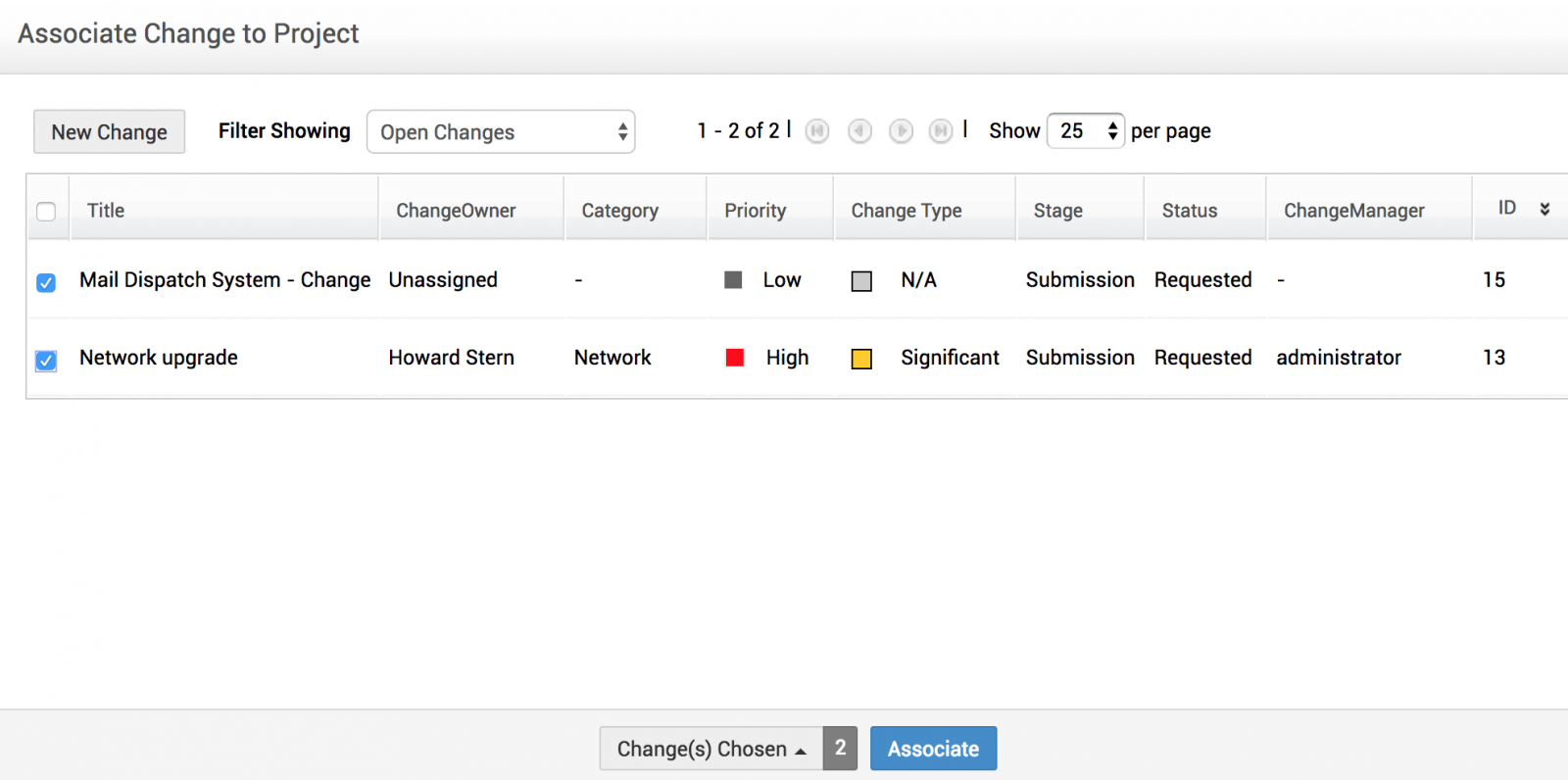
The changes will be associated with the project.
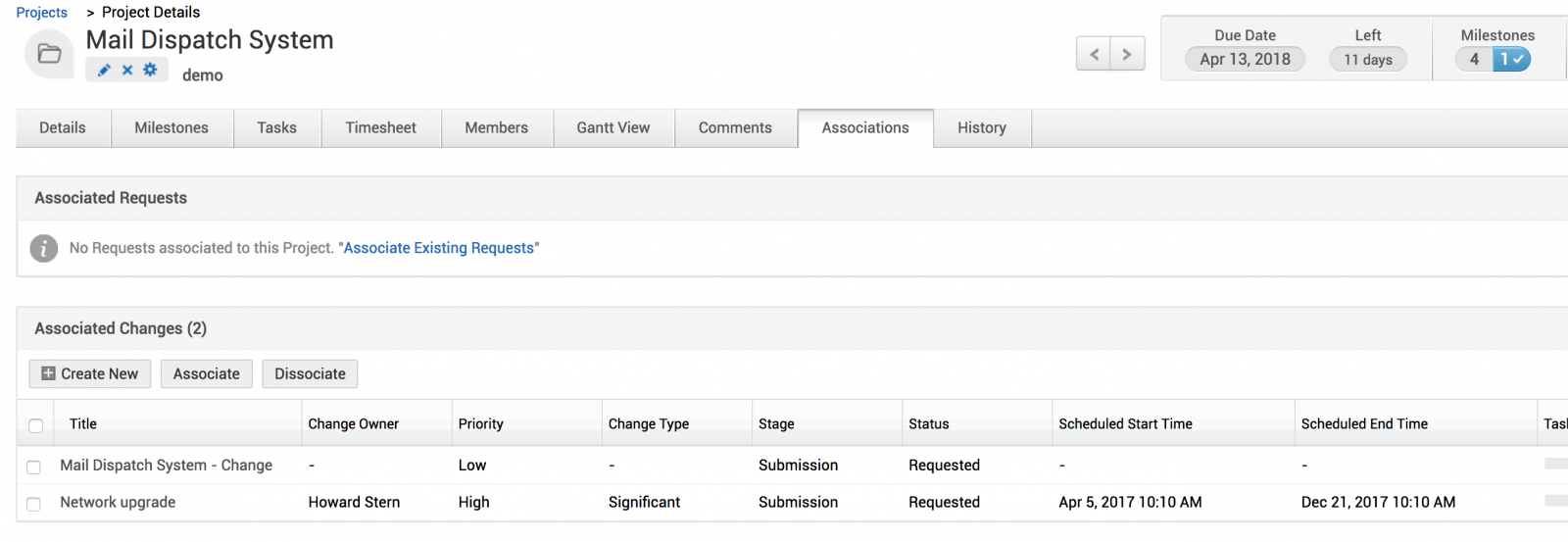
- You can also add a new change and associate it from that window itself. Use Add new change option.
- To remove a change association, use the Dissociate option.
Notifying Change owners on Association/ Dissociation
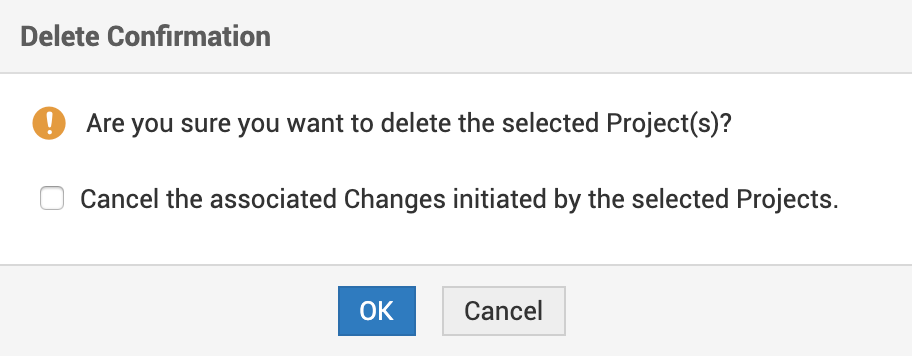
Change owners can be notified when projects are associated/ dissociated with their change. They can also be notified if a project initiated by their change is closed/canceled/deleted. These actions can be done from under the Notification Rules >> Projects.
Use the various notification options as required. Use Customize template to modify the notification content.
