
An ESM portal is where end-users can access the various service desk instances available for them. New instances created by Org Admins will be displayed in this portal. If users are added/associated with them, then the instances will be visible for users as well.
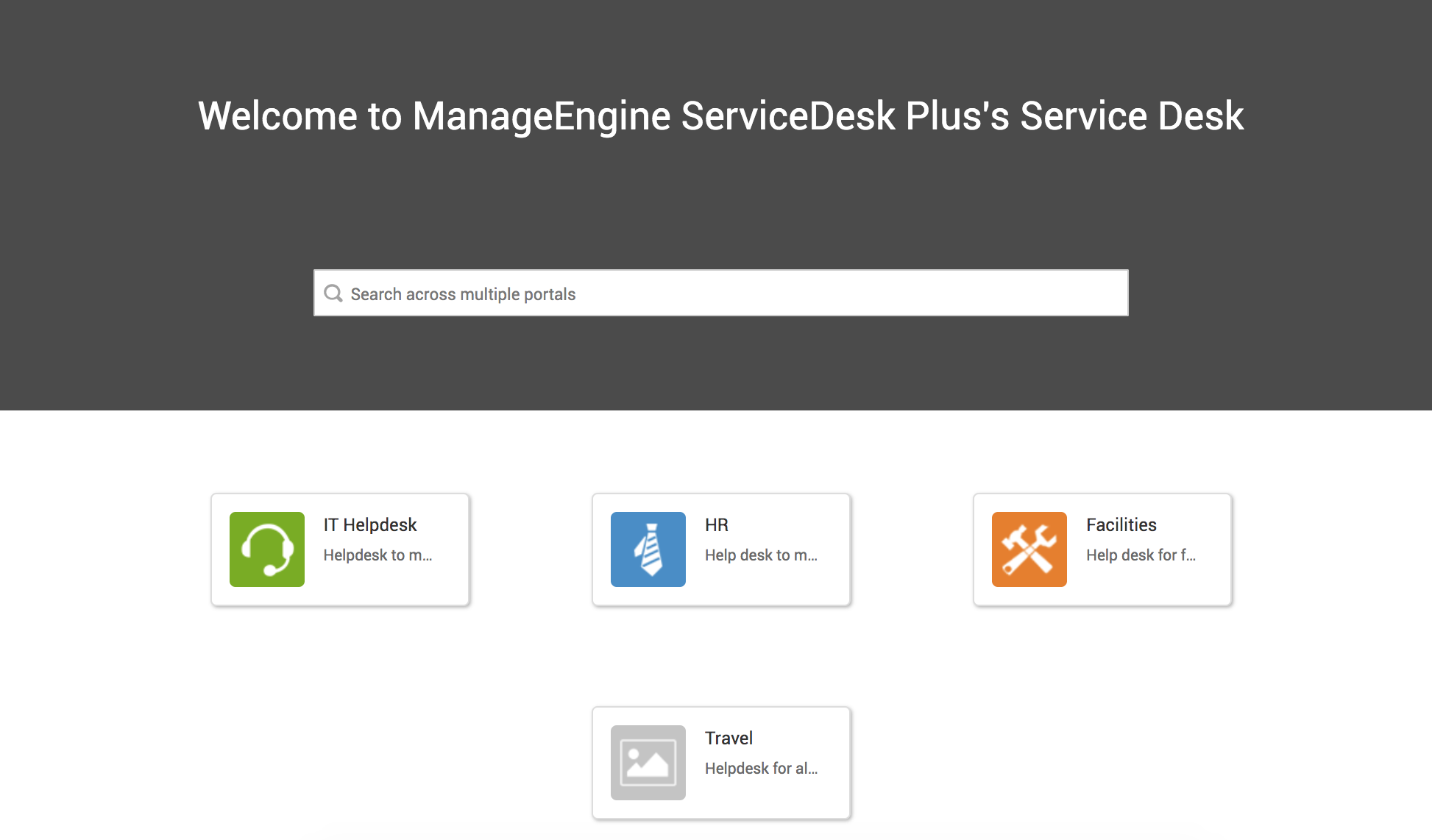
ESM Global Search
You can now search through Requests, Projects, Solutions, Announcements, Request Templates across instances from the ESM portal.
To perform a global search,
- Go to ESM Portal.
- Type in the Keyword that matches the values in the subject or description of the entities you are searching.
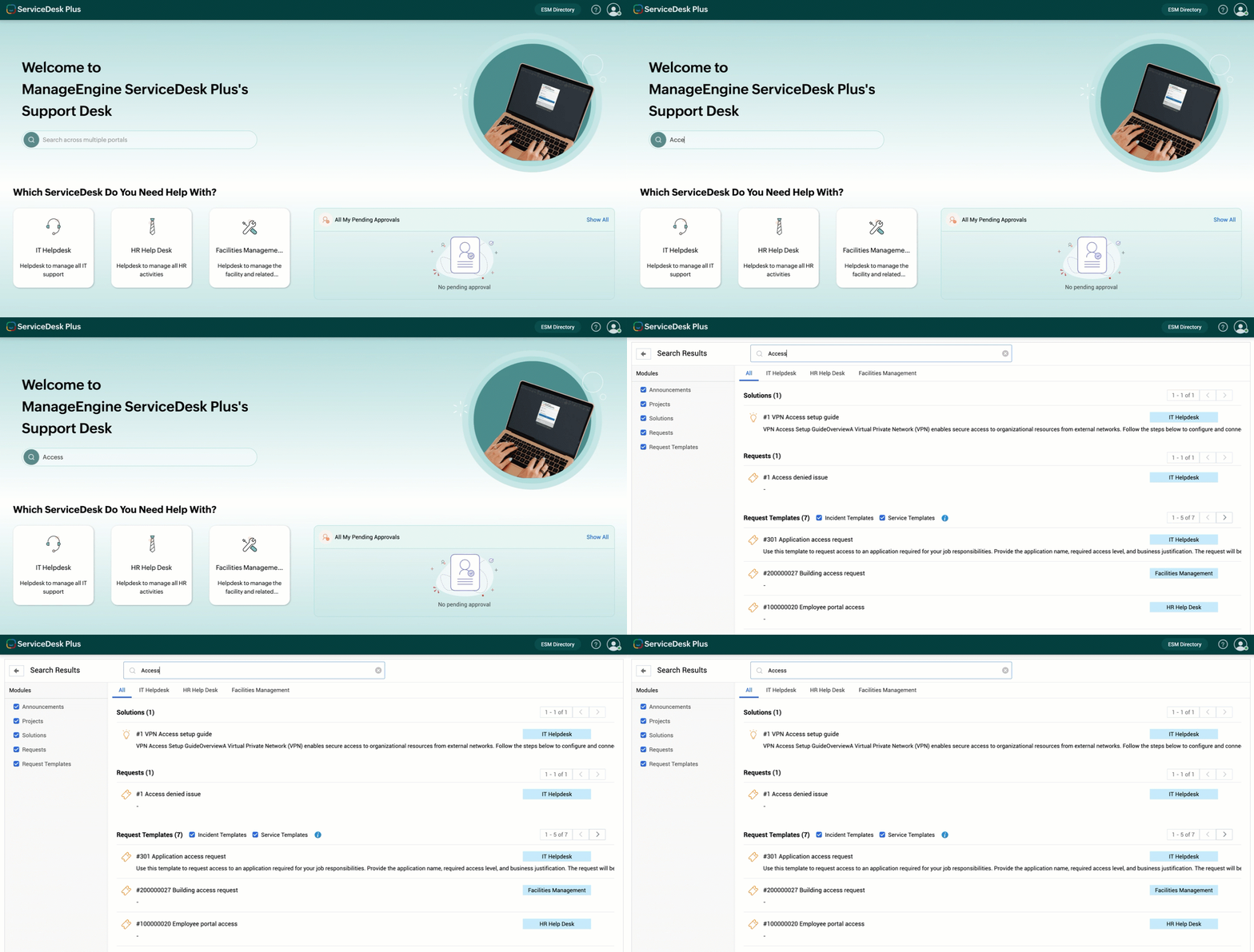
- The relevant results will be fetched and listed. You can access the entities from there.